Frequently Asked Questions
1. What brochure sizes can I order?
Overnight Prints offers 8.5 × 11-inch and 11 × 17-inch brochures. These dimensions refer to the flat sheet before folding; the finished size depends on your selected fold.
2. How much does brochure printing cost?
Brochure printing cost depends on the size, quantity, printed sides, and folding option you select. Use the pricing calculator above to compare configurations, then review shipping and your final order total before checkout.
3. What is the minimum brochure order quantity?
Brochure orders start at 25 copies, with larger quantities available for business, event, and marketing needs. Use the pricing calculator to see the quantities available for your selected configuration.
4. What folding options are available for brochures?
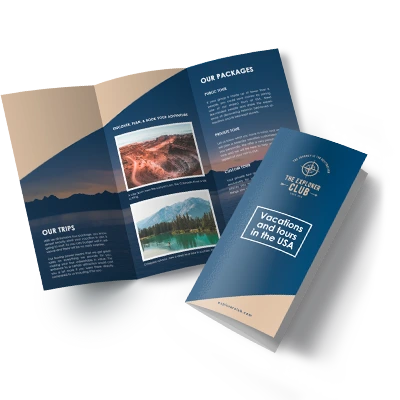
Choose from tri-fold, bi-fold, Z-fold, or no folding. Tri-fold and Z-fold brochures create six panels, while bi-fold brochures create four larger panels. The best option depends on how you want readers to move through your content.
5. Can I order brochures without folding?
Yes. Select “No Folding” to receive your brochures as flat sheets. Make sure your uploaded artwork does not contain fold guides or other markings you do not want printed.
6. What paper are the brochures printed on?
Brochures are available on 100 lb gloss stock, which works well for photographs, graphics, and full-color marketing designs.
7. Can I print on both sides of my brochure?
Yes. Choose single-sided or double-sided printing. Double-sided printing is recommended when your folded brochure design includes content on both the inside and outside.
8. Can I upload my own brochure design?
Yes. Upload your own artwork or customize a brochure template using the Online Designer. Make sure your artwork matches the brochure size and folding option you plan to order.
9. Which file formats can I upload?
Accepted file formats include TIF, PSD, PDF, PNG, JPG, EPS, and AI version 9 or newer. Review the upload requirements before exporting your final artwork.
10. How should I prepare my brochure artwork for printing?
Use the start file for your selected size and fold. Prepare images at 300 dpi at their final printed size, use the recommended CMYK color setup, and extend backgrounds through the bleed area. Keep important text and logos within the safe zone and away from fold lines.
11. How quickly can I receive my brochures?
Production and delivery dates depend on your brochure configuration and destination. Check the available dates shown during ordering before checkout. If you're printing for an event or deadline, allow additional time to review your artwork before placing the order.
12. Can I use a template to design my brochure?
Yes. You can start with a brochure template and customize it in the Online Designer. Using a template can help you plan your layout around the selected brochure size and folding style.